Journal
Welcome! This journal is my second-brain, and an encouragement for me to write something (anything!) every single day. I've made it public so that my clients and colleagues might be able to gain a better insight into how I work and think.
Go Home
I'm not a robot
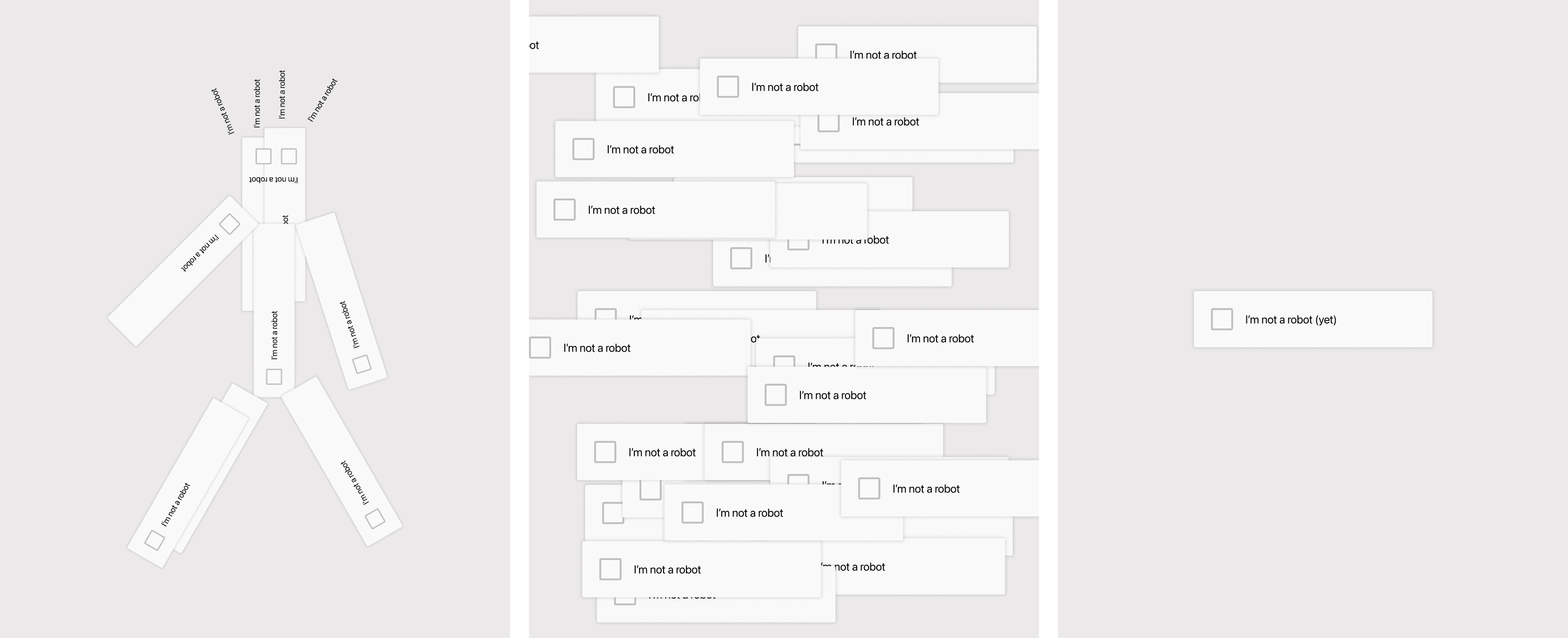
I've been thinking about CAPTCHA a lot lately, and I've also being trying to commit more time to designing 'just for fun'. The consequence has somehow been this 'I'm not a robot' robot, which may seem as though it has more meaning that it really does. Both of these little graphics were made in Figma, using my own recreation of the standard CAPTCHA tickbox (this one could be based on Google's but I'm not 100% sure).
Portfolios and proposals
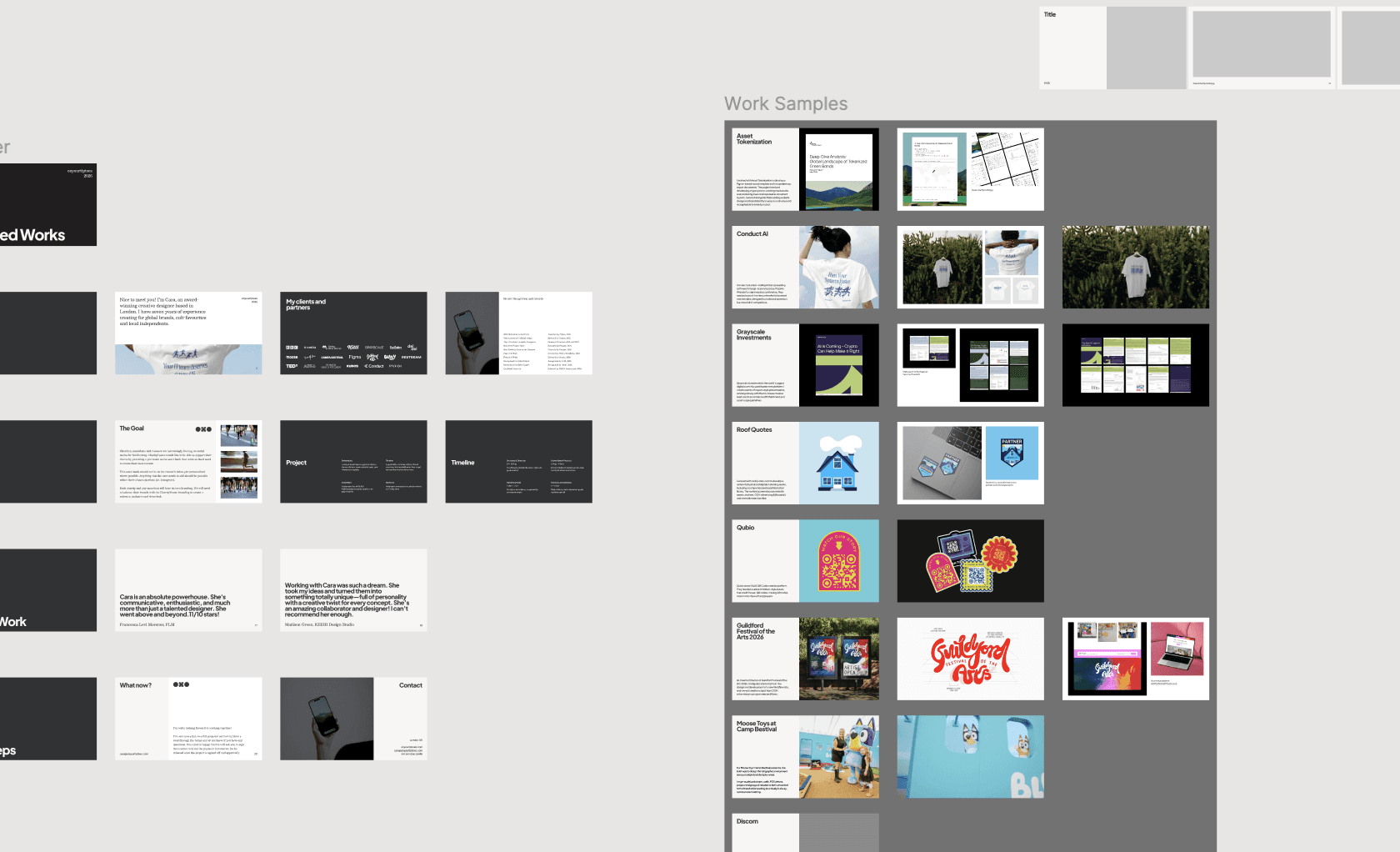
I'm finding it increasingly necessary (or helpful) to send over sampled work decks after my discovery calls. Where in the past I have made custom documents from scratch, this means I've finally had to get around to making a master deck to pull from.
It'll likely never be completely done, but the aim is to have all of my case study pages ready to drop in where relevant, plus some template proposal and detail pages that repeatedly crop up.
Here's how that's looking in my Figma so far:
Naturally, the time consuming bit is just pulling all of my work in, but I plan to do this as I go along, and whenever I have a few free moments (which basically never happens).
Designing folders
I just made these lovely (if I do say so myself) folders for this journal page on my website. They haven't made it onto the final page yet, but I thought they still deserved to live in here in some capacity…
Here's how I did it:
Created the vector illustration in Adobe Illustrator
Brought the illustration into Framer
Wrapped it in a frame and turned it into a component
Added my CMS linked text
Added a hover state, with the paper lifted up
Super simple but impactful! I did also like the idea of having the entire feed all one page, but maybe that can be my V2.
Creating a journal
I love to write, and I try to output some sort of personal diary entry on a daily basis as a preventative treatment for creative block. As I look for more ways to make my portfolio site more interesting, I thought it might be nice to include a journal of sorts here, to allow my clients and colleagues to better see inside my brain. The original idea was (and is) to write something here every day, but we will have to see how that really plays out!
Nonetheless, I have spent a few hours working on the design of my new archive, and becoming obsessed with micro-animations and text formatting settings that nobody is likely to notice (but I do hope you enjoy the little folders, I am particularly proud of those).
I will not use AI to write my entries, so please expect a few grammatical mistakes, unfinished thoughts and typos!
Menu
Journal
Welcome! This journal is my second-brain, and an encouragement for me to write something (anything!) every single day. I've made it public so that my clients and colleagues might be able to gain a better insight into how I work and think.
Go Home
I'm not a robot
I've been thinking about CAPTCHA a lot lately, and I've also being trying to commit more time to designing 'just for fun'. The consequence has somehow been this 'I'm not a robot' robot, which may seem as though it has more meaning that it really does. Both of these little graphics were made in Figma, using my own recreation of the standard CAPTCHA tickbox (this one could be based on Google's but I'm not 100% sure).
Portfolios and proposals
I'm finding it increasingly necessary (or helpful) to send over sampled work decks after my discovery calls. Where in the past I have made custom documents from scratch, this means I've finally had to get around to making a master deck to pull from.
It'll likely never be completely done, but the aim is to have all of my case study pages ready to drop in where relevant, plus some template proposal and detail pages that repeatedly crop up.
Here's how that's looking in my Figma so far:
Naturally, the time consuming bit is just pulling all of my work in, but I plan to do this as I go along, and whenever I have a few free moments (which basically never happens).
Designing folders
I just made these lovely (if I do say so myself) folders for this journal page on my website. They haven't made it onto the final page yet, but I thought they still deserved to live in here in some capacity…
Here's how I did it:
Created the vector illustration in Adobe Illustrator
Brought the illustration into Framer
Wrapped it in a frame and turned it into a component
Added my CMS linked text
Added a hover state, with the paper lifted up
Super simple but impactful! I did also like the idea of having the entire feed all one page, but maybe that can be my V2.
Creating a journal
I love to write, and I try to output some sort of personal diary entry on a daily basis as a preventative treatment for creative block. As I look for more ways to make my portfolio site more interesting, I thought it might be nice to include a journal of sorts here, to allow my clients and colleagues to better see inside my brain. The original idea was (and is) to write something here every day, but we will have to see how that really plays out!
Nonetheless, I have spent a few hours working on the design of my new archive, and becoming obsessed with micro-animations and text formatting settings that nobody is likely to notice (but I do hope you enjoy the little folders, I am particularly proud of those).
I will not use AI to write my entries, so please expect a few grammatical mistakes, unfinished thoughts and typos!